Sharing Briefs
Pull teammates into a Brief thread, share a public link with someone outside the team, or invite a Reviewer to comment without consuming a paid seat.
Overview
Briefs in Hamster Studio belong to a team account. Every member of that account can see every Brief — but who is part of the conversation thread, and who can edit, depends on roles and explicit invitations. Share a Brief by inviting people to its conversation thread, by handing them a public share link, or by giving them a Reviewer seat on the team so they can comment without taking a paid seat.
Cross-account isolation is strict: a teammate's Brief in one account is never visible to people in another, and account membership is checked at every layer — inside the chat agent, inside the editor, and on the database itself.

How It Works
-
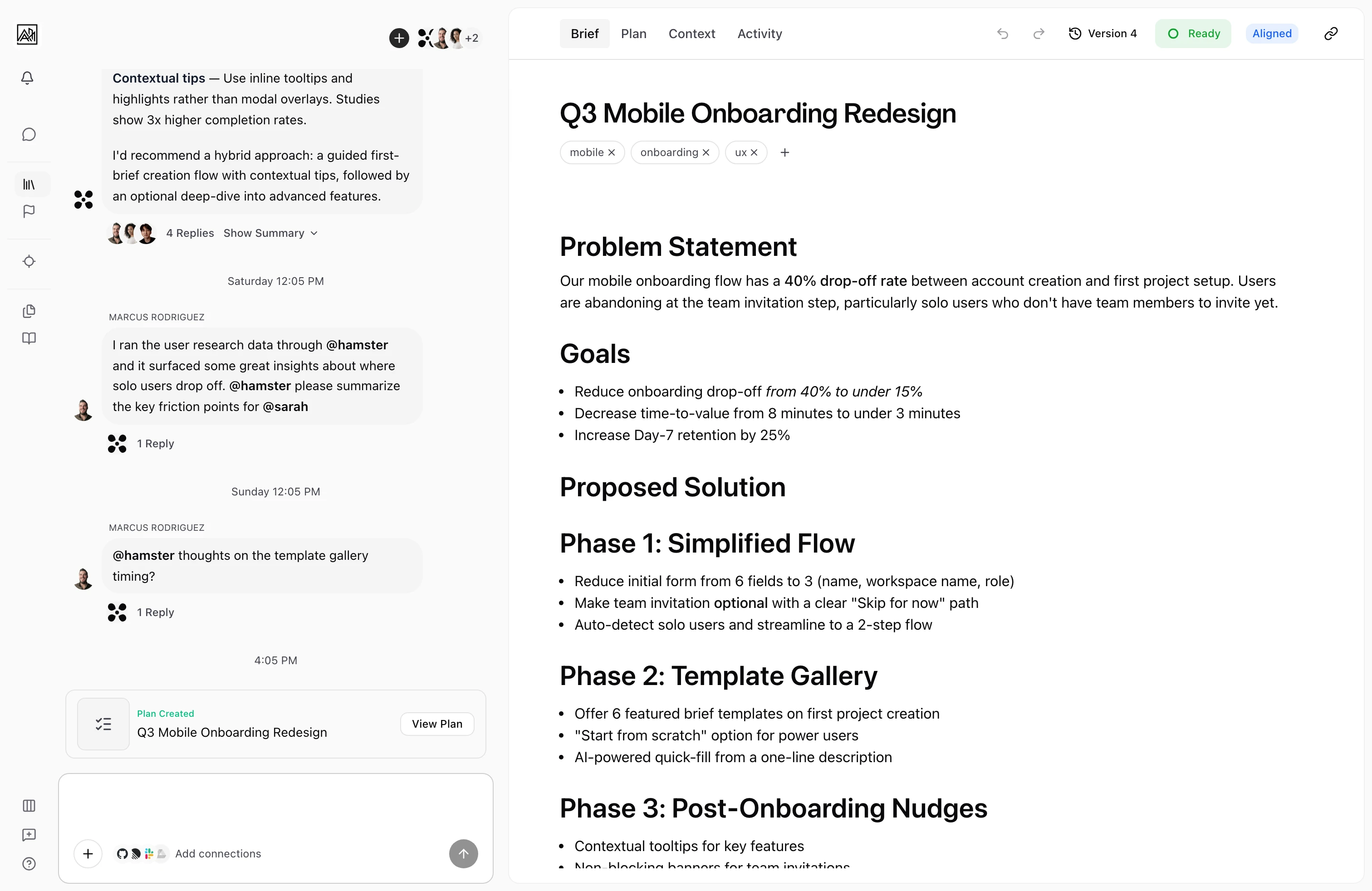
Open the participants — On a Brief, click the participant avatars in the docked chat's header (on a phone, in the document header). The Participants panel opens.
-
See who's in — The panel lists the owner first under an Owner badge, then each teammate with the date they were added, and Hamster under Agents. Your own row is marked You, unless you're the owner.
-
Add a teammate — Type a teammate's name or email in the field at the top of the panel and select them. They're added to the Brief's conversation thread. Anyone already in it shows In brief.
-
Or invite someone new by email — If you can manage invites, type their email address and choose the invite row for that address. Pick a Workspace role, then click Send invitation.
-
Leave — If you're in the conversation but don't own the Brief, Leave brief sits at the bottom of the panel.
-
Share a public link — For someone outside the team, click the link icon at the top of the panel (Copy share link). The share page shows the Brief's title, description and status, and teammates who sign in go straight to it.
-
Or invite from Members — To invite several people at once, use Invite member on the team's Members page. See Inviting Members.
Who Can See and Do What
Briefs are scoped to a team account. Within the team, what a member can do depends on their role:
| Role | View Briefs | Comment / vote | Create / edit | Invite members | Manage settings |
|---|---|---|---|---|---|
| Reviewer (free seat) | ✓ | ✓ | |||
| Creator | ✓ | ✓ | ✓ | ✓ | |
| Admin | ✓ | ✓ | ✓ | ✓ | ✓ |
| Owner | ✓ | ✓ | ✓ | ✓ | ✓ |
Reviewers see the Brief workspace as fully read-only — no greyed-out controls and no cursor leaking outbound. They can still watch the live document, but they can't vote on alignment. Reviewer seats don't count toward your paid-seat total, so you can bring in stakeholders, designers, or external reviewers without expanding your subscription.
For more on roles, see Roles and Permissions.
Key Capabilities
- One participants panel: The participant avatars in the docked chat's header open a single list of the owner, teammates, you, and Hamster.
- Add or invite from one field: Find a teammate by name or email, or type a new email address to invite someone to the workspace.
- Leave: Anyone in the conversation except the owner can leave it from the panel.
- Thread context shared: When you invite someone, they get the full conversation thread for that Brief, including prior messages.
- Real-time participation: Newly invited participants appear immediately. Their alignment votes show in the Activity tab as soon as they cast them.
- Auto-add via mention: Mentioning a teammate with
@namein chat adds them to the thread as a participant before the notification fires, so the deep link in their notification always lands in the right place. - Public share page: Each Brief has a public share URL. The share page shows the Brief's title, description and status with Sign in to Hamster, and teammates who sign in go straight to the Brief.
- Cross-account isolation: Briefs from one team account are never visible from another. Permission checks happen on every API call, every database query, and inside the AI agent — a Reviewer's read-only state is enforced on the server, not just hidden in the UI.
- Slack alignment unfurls: When the Slack bot is connected, posting a Brief URL into Slack unfurls a Block Kit card where teammates can cast alignment votes natively. Brief flexpanes in Slack render the markdown description and let editors update the Brief from inside Slack.
Inviting Someone Who Isn't on Your Team
If you can manage invites, type their email address in the Participants panel and choose the invite row. Pick the workspace role that fits:
- Comment-only access — invite them as a Reviewer (free seat).
- Edit access — invite them as a Creator, or as an Admin if you're an Admin or Owner yourself.
See Inviting Members.
Tips
- Invite stakeholders early so they can follow the Brief's development in the chat thread instead of receiving a finished document with no context.
- For Briefs that need formal sign-off, invite the relevant people and ask them to cast an alignment vote in the Activity tab. This creates a record of who agreed and when.
- Use the Reviewer role for product, design, or business stakeholders who need to comment but aren't editing. It's a free seat and gives them a clean read-only experience.
- You don't need to invite someone as a thread participant just for them to see the Brief — every team member can read briefs. Participation is specifically about the conversation thread.